ChessRiddle Studio
Darmowa aplikacja na komputer do poważnej nauki szachów.
ChessRiddle Studio to darmowa aplikacja szachowa z otwartym kodem źródłowym na Windows, macOS i Linux. Analizuj swoje partie z trenerem AI i mocnymi silnikami, buduj i trenuj repertuar debiutowy oraz rozwiązuj zagadki ChessRiddle na swoim koncie.
- Za darmo
- Otwarty kod
- Windows · macOS · Linux
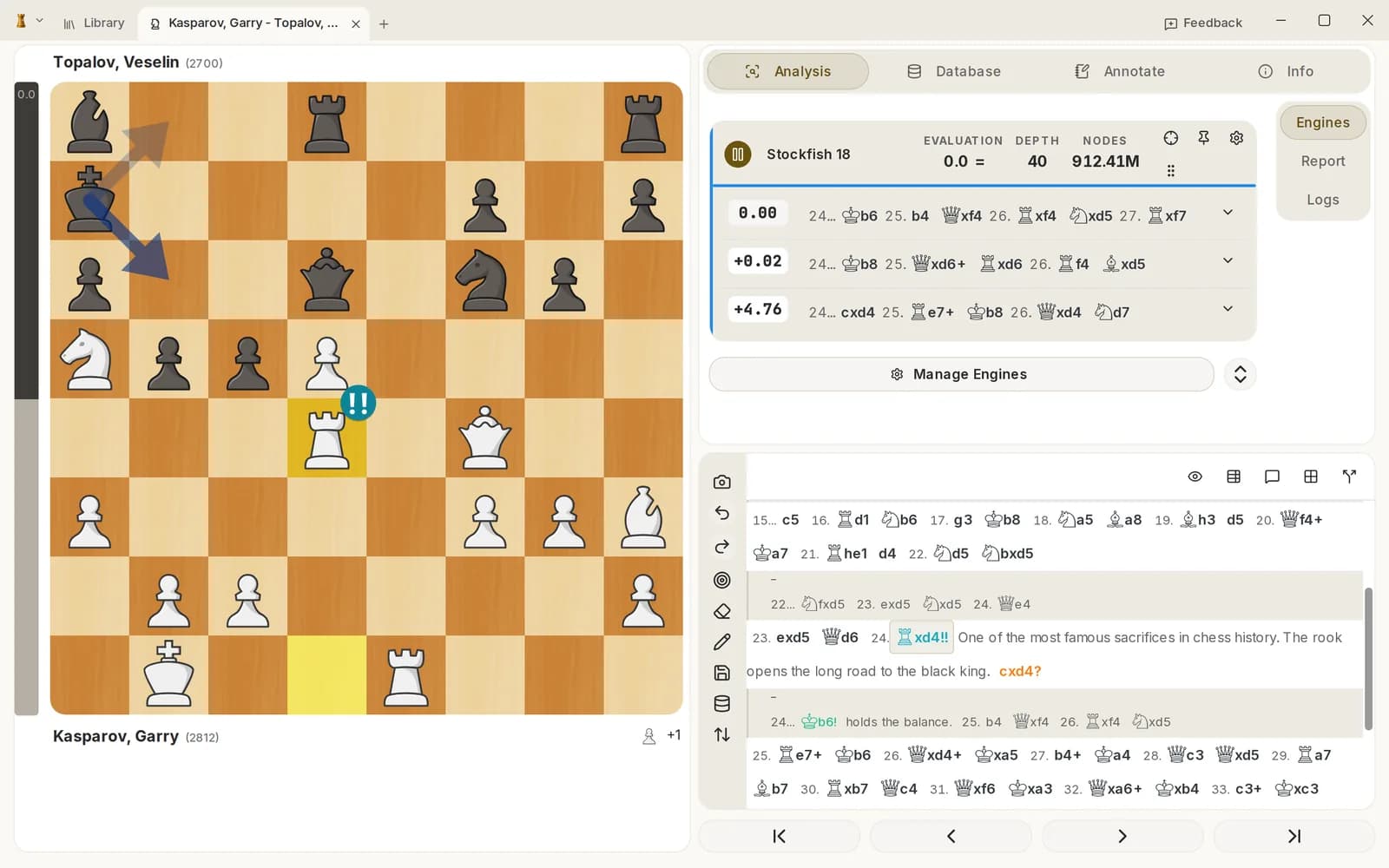
Trener AI
Pytaj o dowolną pozycję zwykłymi słowami. Zanim odpowie, trener sprawdza twój silnik, twoją bazę referencyjną i twój repertuar, więc jego wyjaśnienie opiera się na prawdziwej analizie. Podłącz ChatGPT, Grok, klucz API lub lokalny model.
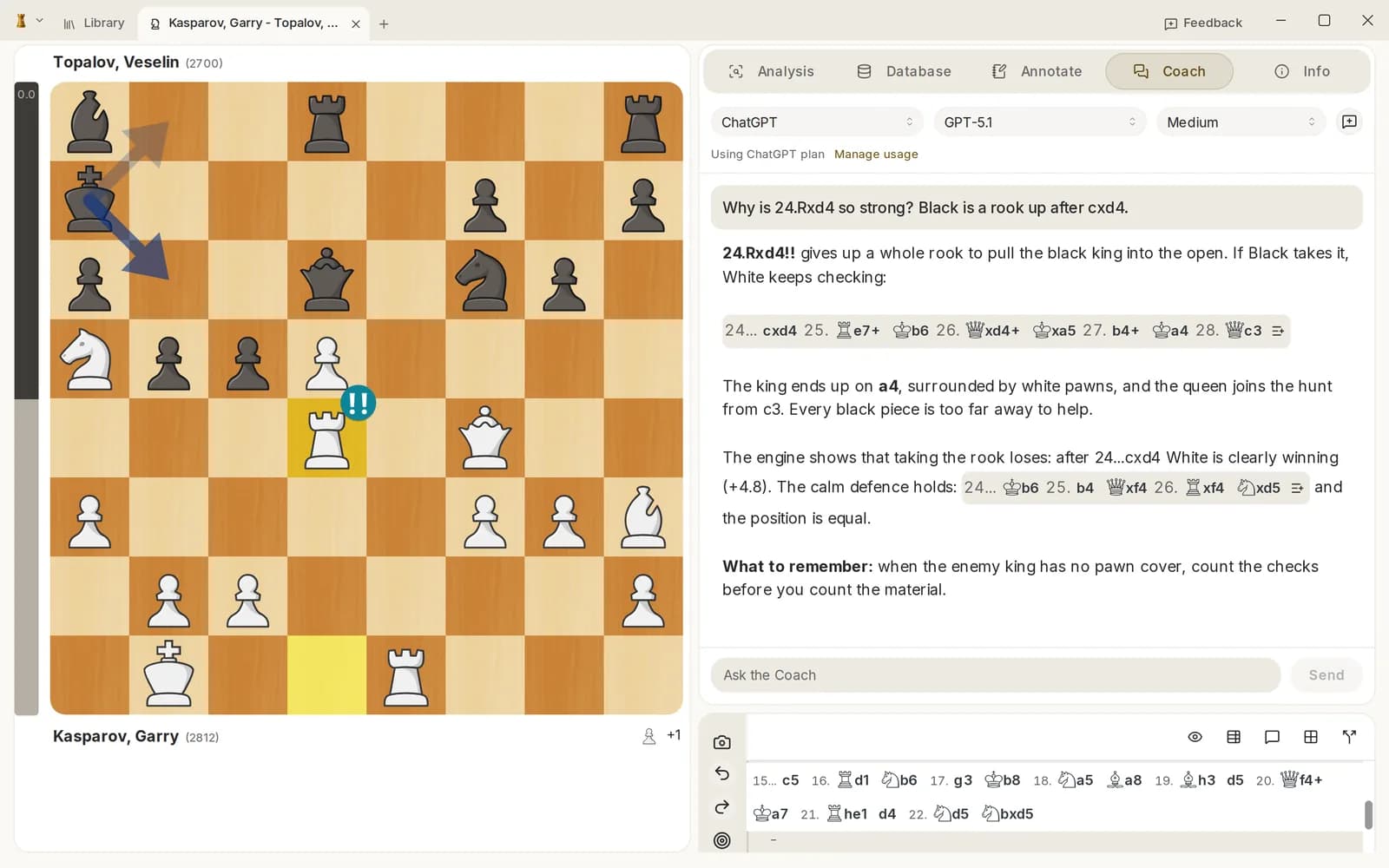
Zagadki ChessRiddle
Rozwiązuj taktyczne zagadki ChessRiddle na swoim koncie. Wybierz trudność i motyw, powtarzaj swoje błędy, a potem analizuj każdą zagadkę własnym silnikiem. Twój ranking pozostaje zsynchronizowany z chessriddle.com.
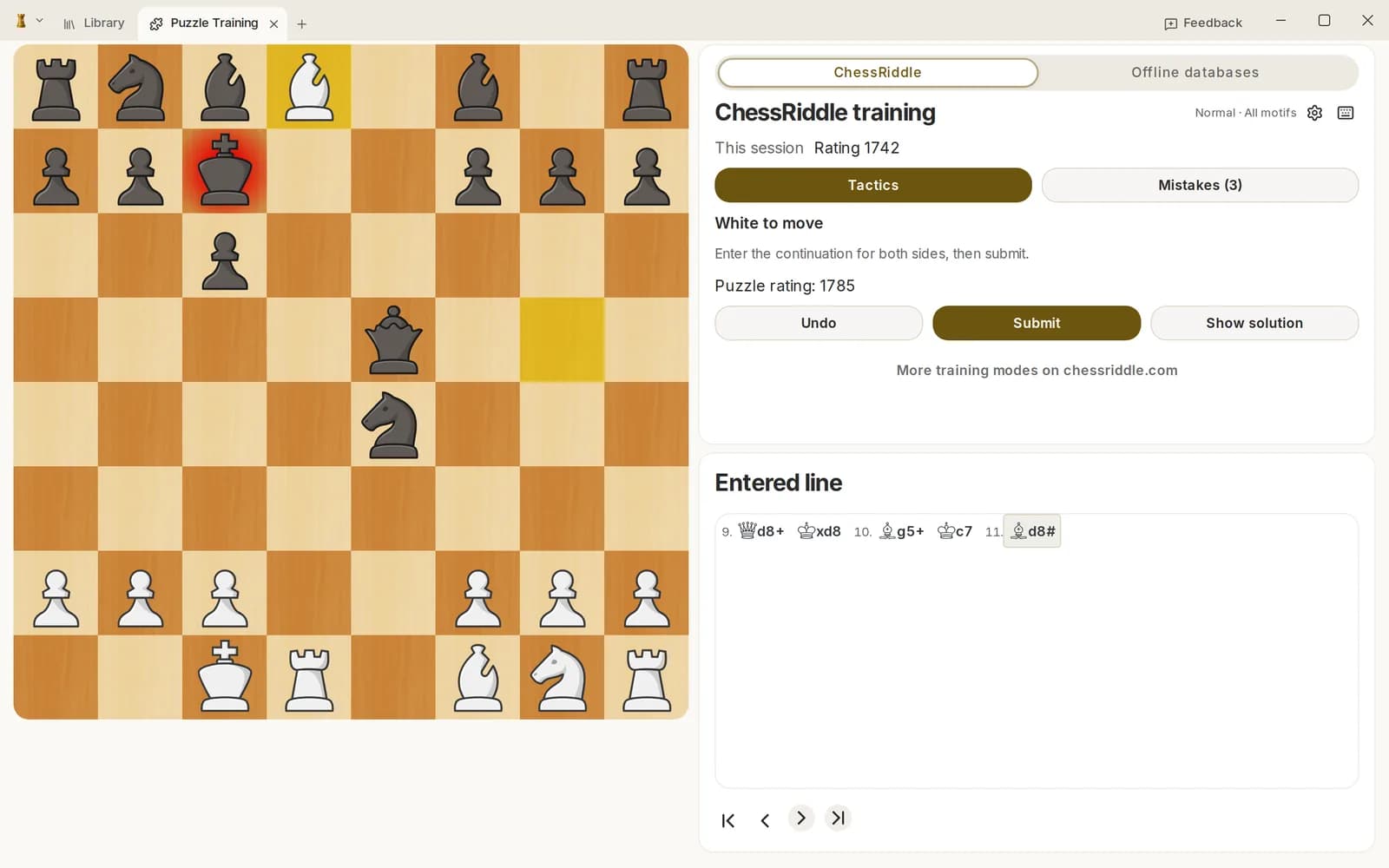
Bazy partii
Importuj swoje partie z Lichess i Chess.com i przeszukuj dowolną bazę według pozycji.
Również w Studio
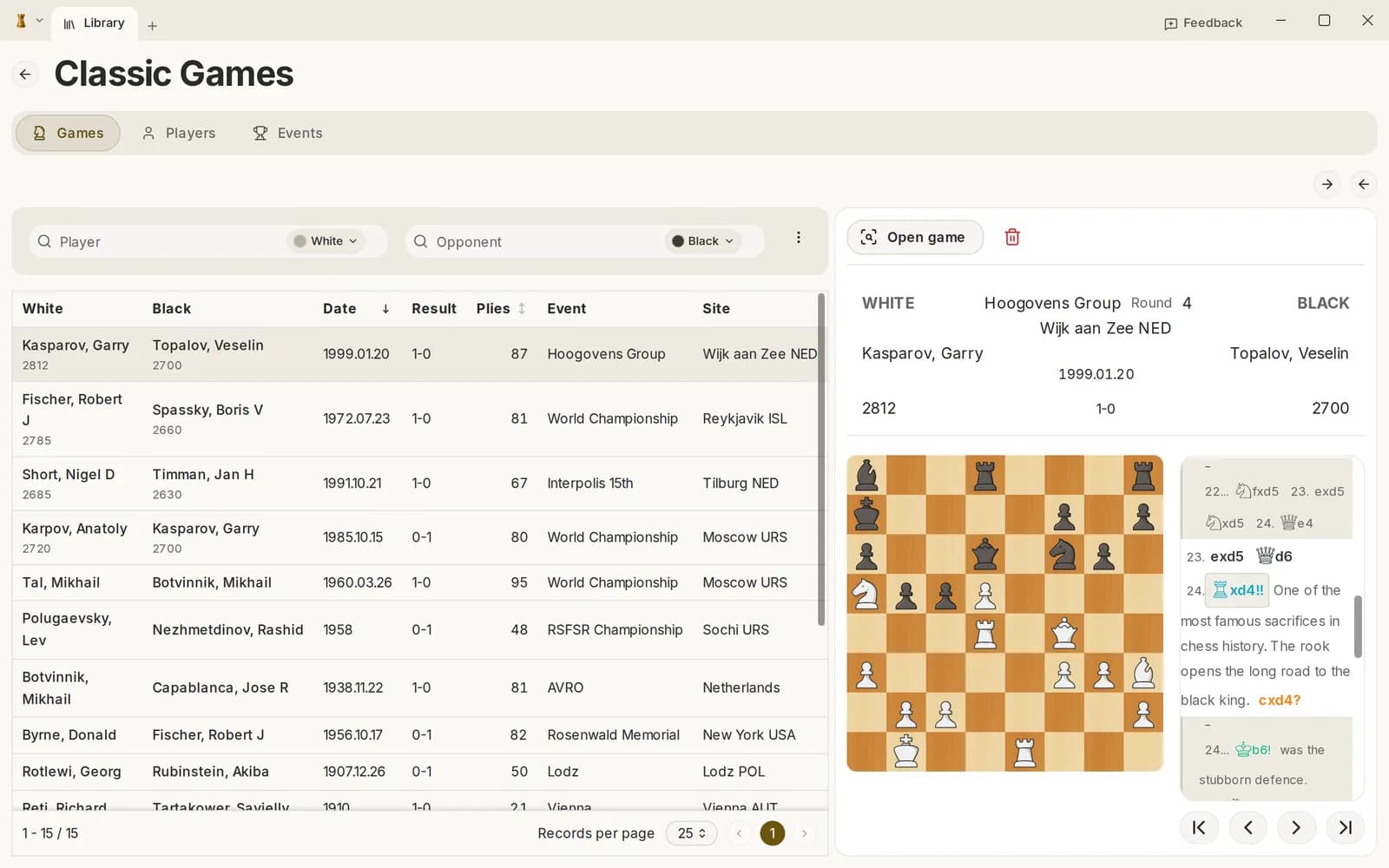
Analiza silnikiem
Uruchamiaj kilka silników obok siebie. Stockfish i inne silniki UCI instalujesz w kilka kliknięć.
Trening repertuaru
Buduj repertuar debiutowy ruch po ruchu i trenuj go metodą powtórek w odstępach. Studio pyta o każdy wariant tuż przed tym, zanim go zapomnisz.
Za darmo i z otwartym kodem
Bez subskrypcji. Kod źródłowy jest publiczny na GitHubie.
Nowości w wersji 1.1.0
Informacje o wersji są po angielsku.
New
- Coach: ask an AI about the position on the board. It checks its answers with your own engine and can draw on your reference database and your repertoire. Sign in with ChatGPT or Grok, use an API key (OpenAI, Google Gemini, DeepSeek, Qwen, OpenRouter), or run a local model (Ollama, LM Studio).
- Assistant: an AI helper that explains Studio, takes you straight to the right setting and helps you write feedback. It needs a connected AI.
- Opponent preparation: link an opponent's Lichess and Chess.com accounts to their player card, import their online games in one step and see them beside their over-the-board games.
- Opening training: train all your repertoires for a set number of minutes. Lines that come up often in real games come first and are repeated more.
- Browser extension: an "Analyze in ChessRiddle Studio" button on Lichess and Chess.com opens a finished game in Studio. Get it for Chrome or Firefox; the Safari version is included in the Mac app.
- Notation: open variations are marked and counted, transpositions into other chapters are marked, and ChessBase diagram markers are shown.
- Undo and redo for every edit on the analysis board.
- Unsaved games survive quitting and crashes, and quitting offers to save them.
- Explorer: compare two databases side by side, merge several sources in the opening tree, pin the database panel, filter position search by time control. Filters are saved per database.
Improved
- A new navigation row replaces the title row, the sidebar and the tab strip. Accounts, Engines and Settings open as tabs.
- Stronger last-move highlight with its own colour setting, arrows in six colours, and any engine can drive the evaluation bar.
- Game reports explain themselves, and a new report replaces the previous one.
- Settings can open directly at a setting, and a new Advanced section offers Reload, Clear saved data and Open logs.
- Windows and macOS installers are now signed (macOS also notarized), so the system no longer warns about an unknown developer.
Fixed
- Many bug fixes across databases, analysis, engines and saving.
Pobieranie
Wybierz swój system. Każde pobranie to najnowsza wersja.
Pliki do pobrania są dostępne w serwisie GitHub.
Rozszerzenie przeglądarki
Rozszerzenie przeglądarki „Analyze in ChessRiddle Studio” dodaje przycisk do zakończonych partii na Chess.com i Lichess. Jedno kliknięcie otwiera partię w nowej karcie analizy w ChessRiddle Studio.
ChessRiddle Studio musi być zainstalowane. Rozszerzenie działa tylko na chess.com i lichess.org, nie zbiera żadnych danych i nie wysyła żadnych żądań sieciowych.
Działa też w innych przeglądarkach opartych na Chromium, takich jak Edge i Brave.
Safari (macOS)
Safari nie wymaga osobnego pobierania. ChessRiddle Studio na Maca zawiera to rozszerzenie.
- Otwórz raz ChessRiddle Studio.
- W Safari otwórz „Ustawienia”, a następnie „Rozszerzenia”.
- Zaznacz „Analyze in ChessRiddle Studio”.
- Zezwól rozszerzeniu na działanie na chess.com i lichess.org.
