ChessRiddle Studio
本格的なチェスの研究のための無料デスクトップアプリ。
ChessRiddle Studio は、Windows、macOS、Linux に対応した無料のオープンソースチェスアプリです。AI コーチと強力なエンジンで対局を分析し、オープニングのレパートリーを作って練習し、アカウントで ChessRiddle のパズルを解けます。
- 無料
- オープンソース
- Windows · macOS · Linux
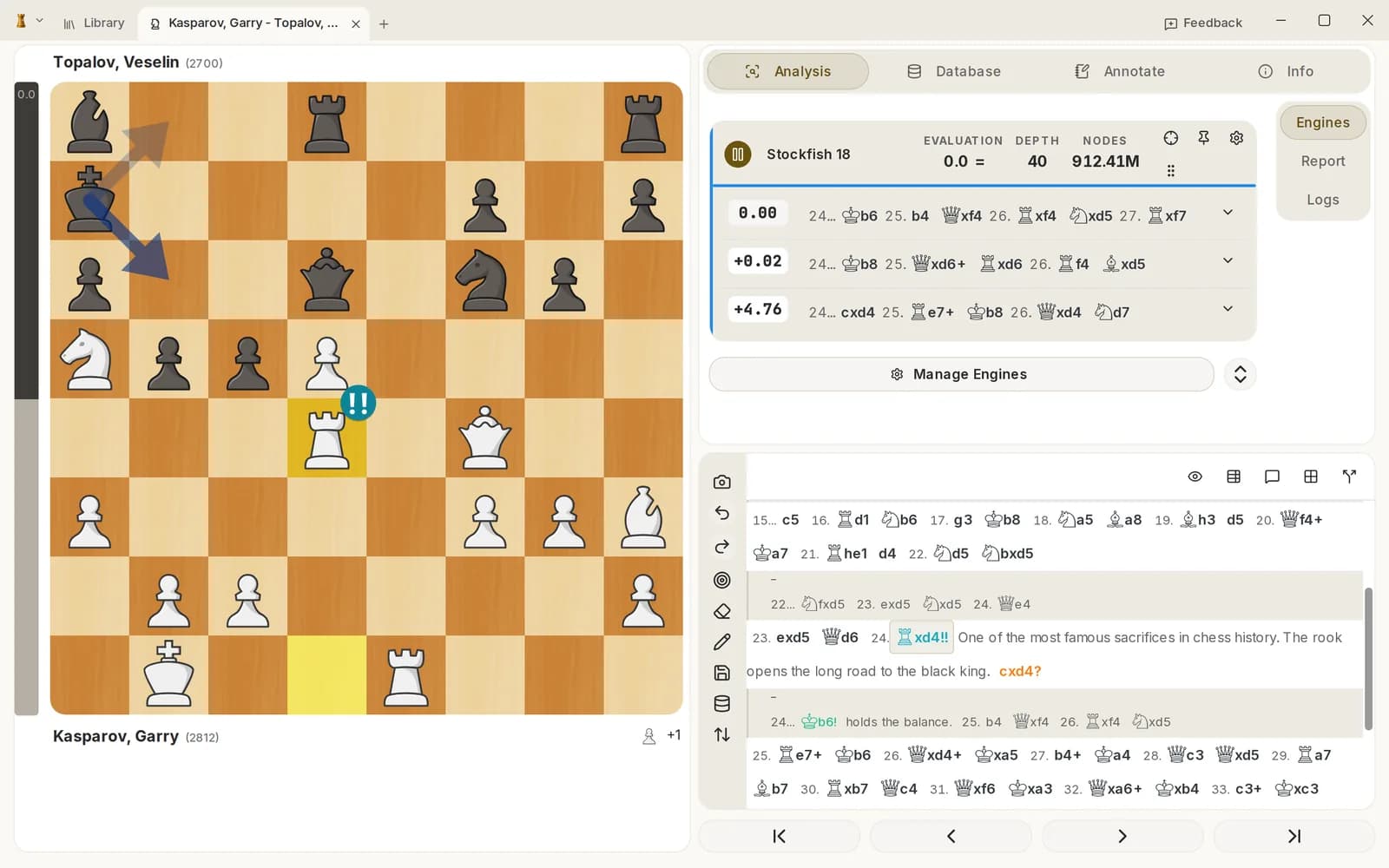
AI コーチ
どの局面についても、普段の言葉で質問できます。コーチは答える前に、あなたのエンジン、参照データベース、レパートリーを確認します。そのため、解説は実際の分析に基づいています。ChatGPT、Grok、API キー、またはローカルモデルを接続できます。
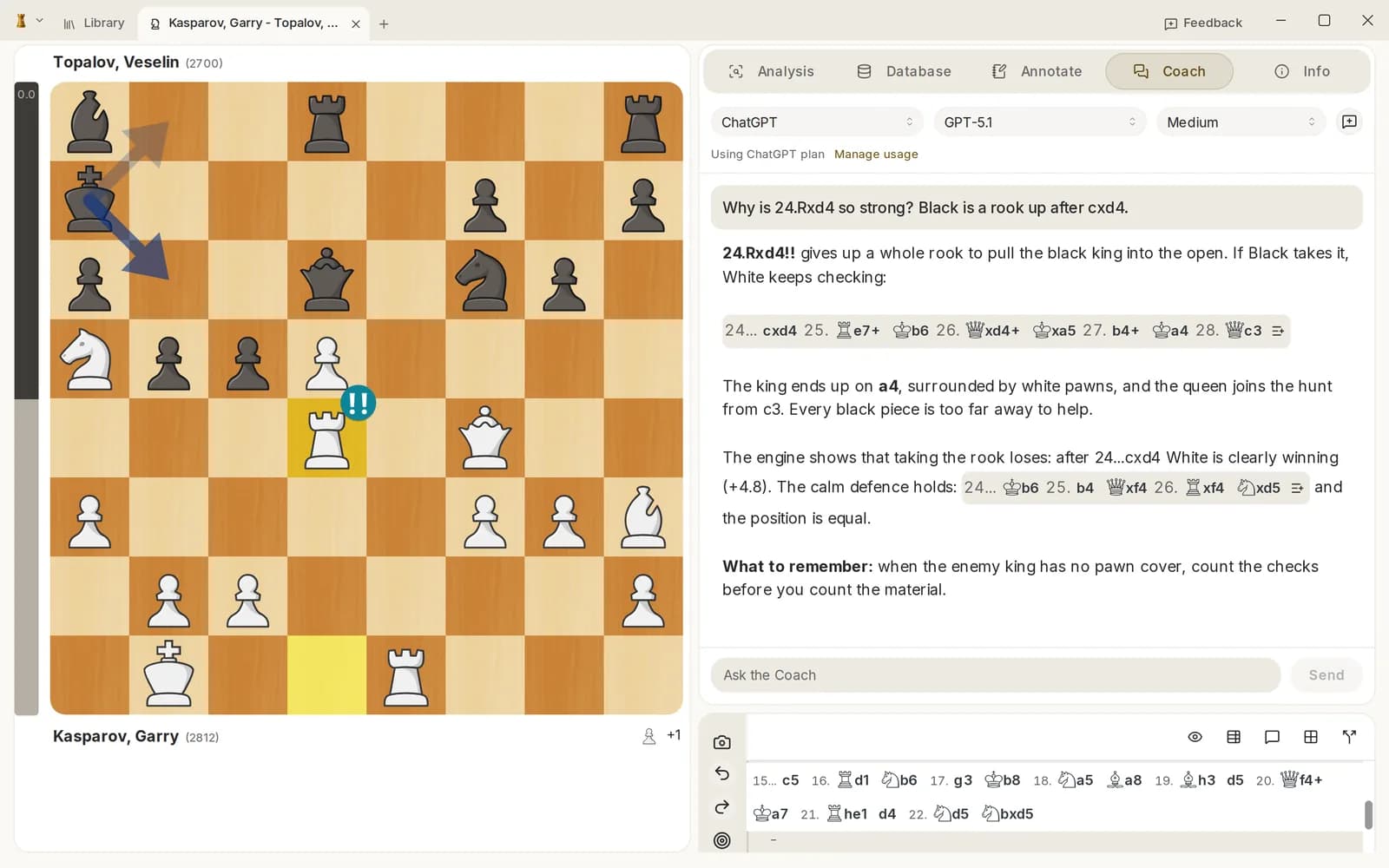
ChessRiddle のパズル
アカウントで ChessRiddle のタクティクスパズルを解きましょう。難易度とテーマを選び、間違えた問題に再挑戦し、解いた後はどのパズルも自分のエンジンで分析できます。レーティングは chessriddle.com と同期されます。
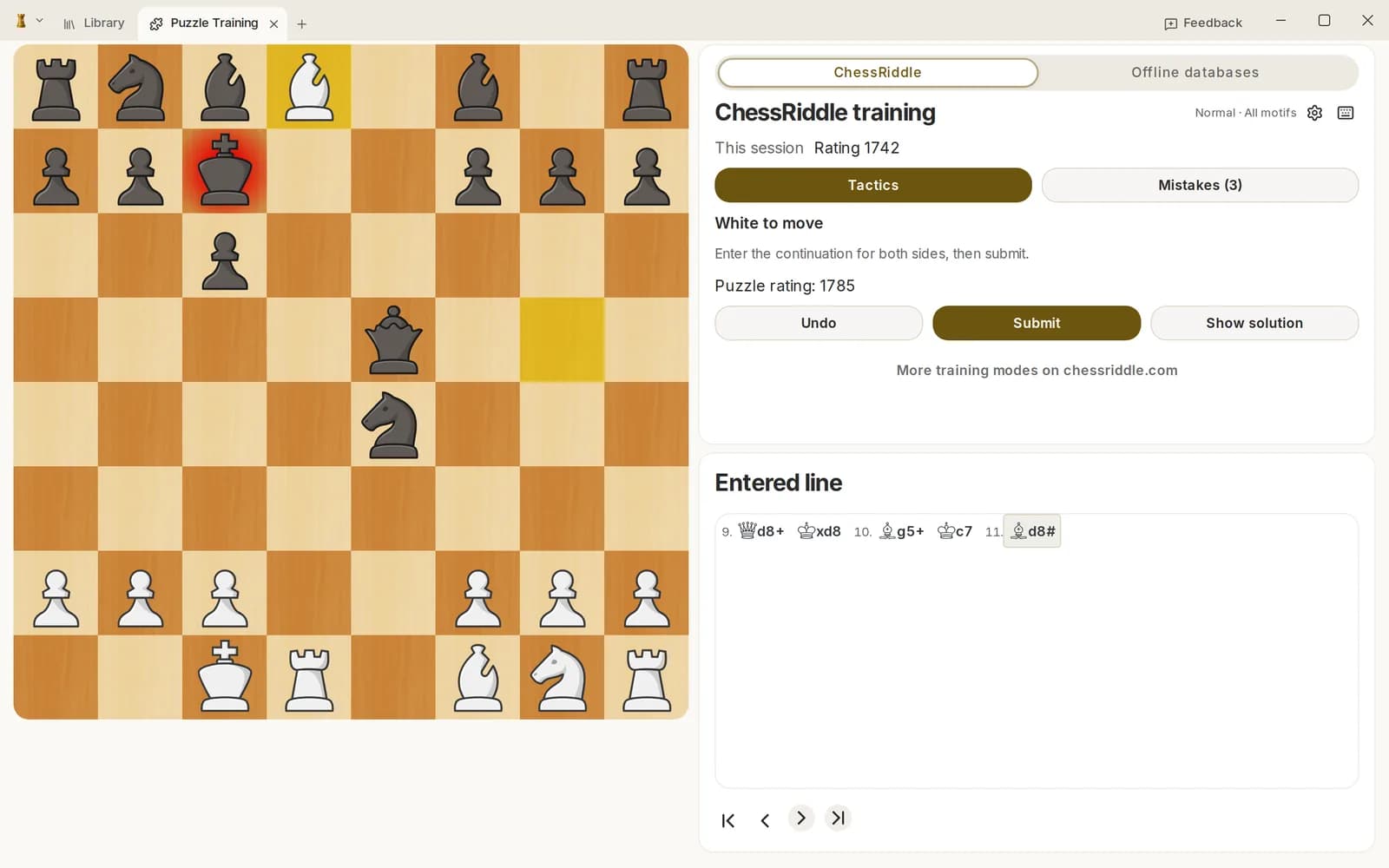
棋譜データベース
Lichess と Chess.com から自分の対局をインポートし、どのデータベースでも局面から検索できます。
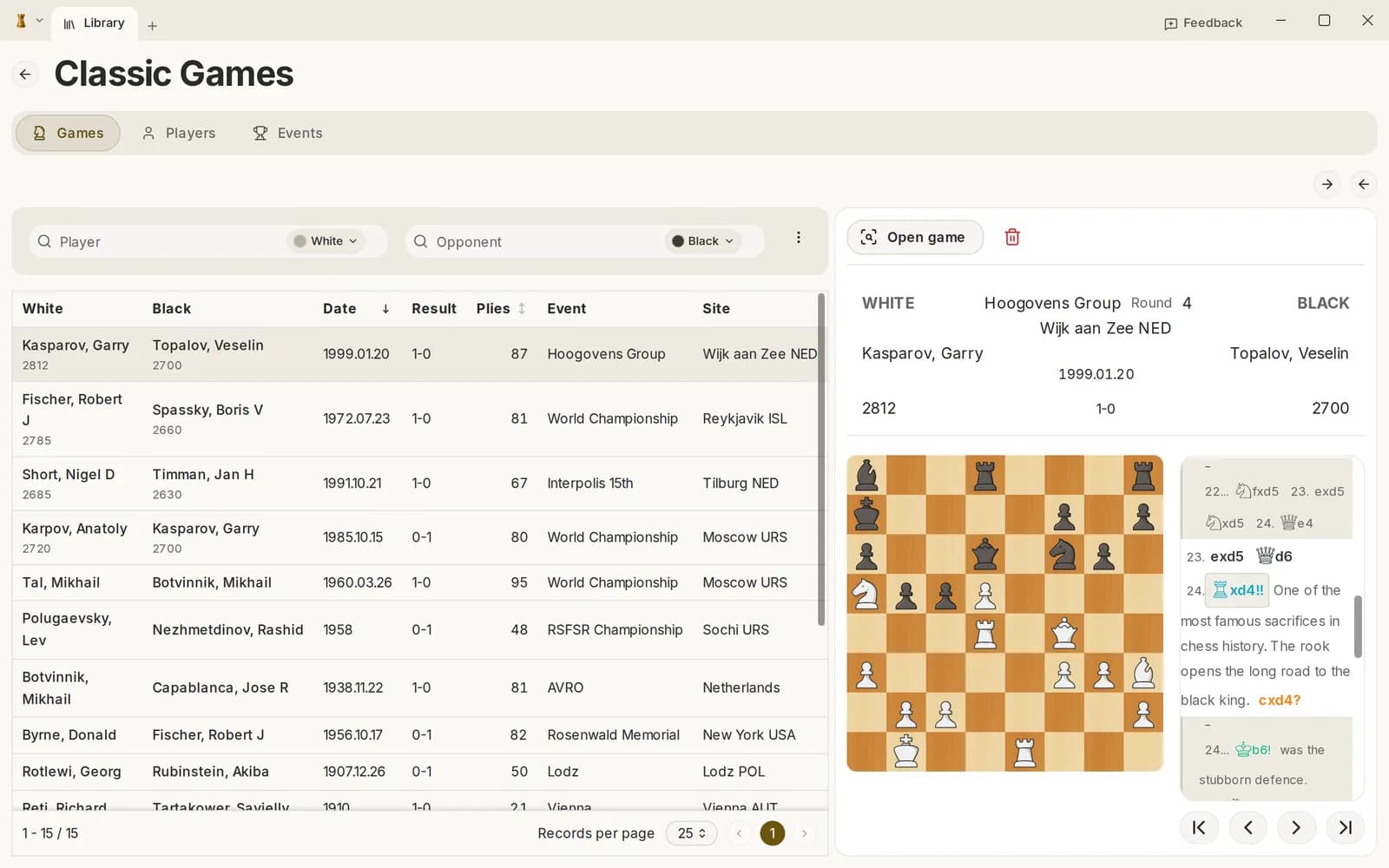
Studio のその他の機能
エンジン分析
複数のエンジンを並べて動かせます。Stockfish などの UCI エンジンは数クリックでインストールできます。
レパートリー練習
オープニングのレパートリーを一手ずつ作り、間隔反復で練習します。Studio は、忘れかけるちょうどその前に各ラインを出題します。
無料でオープンソース
サブスクリプションは不要です。ソースコードは GitHub で公開しています。
バージョン 1.1.0 の新機能
リリースノートは英語です。
New
- Coach: ask an AI about the position on the board. It checks its answers with your own engine and can draw on your reference database and your repertoire. Sign in with ChatGPT or Grok, use an API key (OpenAI, Google Gemini, DeepSeek, Qwen, OpenRouter), or run a local model (Ollama, LM Studio).
- Assistant: an AI helper that explains Studio, takes you straight to the right setting and helps you write feedback. It needs a connected AI.
- Opponent preparation: link an opponent's Lichess and Chess.com accounts to their player card, import their online games in one step and see them beside their over-the-board games.
- Opening training: train all your repertoires for a set number of minutes. Lines that come up often in real games come first and are repeated more.
- Browser extension: an "Analyze in ChessRiddle Studio" button on Lichess and Chess.com opens a finished game in Studio. Get it for Chrome or Firefox; the Safari version is included in the Mac app.
- Notation: open variations are marked and counted, transpositions into other chapters are marked, and ChessBase diagram markers are shown.
- Undo and redo for every edit on the analysis board.
- Unsaved games survive quitting and crashes, and quitting offers to save them.
- Explorer: compare two databases side by side, merge several sources in the opening tree, pin the database panel, filter position search by time control. Filters are saved per database.
Improved
- A new navigation row replaces the title row, the sidebar and the tab strip. Accounts, Engines and Settings open as tabs.
- Stronger last-move highlight with its own colour setting, arrows in six colours, and any engine can drive the evaluation bar.
- Game reports explain themselves, and a new report replaces the previous one.
- Settings can open directly at a setting, and a new Advanced section offers Reload, Clear saved data and Open logs.
- Windows and macOS installers are now signed (macOS also notarized), so the system no longer warns about an unknown developer.
Fixed
- Many bug fixes across databases, analysis, engines and saving.
ダウンロード
お使いのシステムを選んでください。どのダウンロードも最新版です。
ダウンロードファイルは GitHub で公開しています。
ブラウザ拡張機能
ブラウザ拡張機能「Analyze in ChessRiddle Studio」は、Chess.com と Lichess の終了した対局にボタンを追加します。クリックすると、ChessRiddle Studio の新しい分析タブでその対局が開きます。
ChessRiddle Studio のインストールが必要です。拡張機能は chess.com と lichess.org でのみ動作し、データを収集せず、ネットワーク通信も行いません。
Edge や Brave など、ほかの Chromium ベースのブラウザでも動作します。
Safari (macOS)
Safari 用の個別のダウンロードは不要です。Mac 版 ChessRiddle Studio に拡張機能が含まれています。
- ChessRiddle Studio を一度開きます。
- Safari で「設定」を開き、次に「機能拡張」を開きます。
- 「Analyze in ChessRiddle Studio」にチェックを入れます。
- chess.com と lichess.org で拡張機能を許可します。
