ChessRiddle Studio
진지한 체스 공부를 위한 무료 데스크톱 앱.
ChessRiddle Studio는 Windows, macOS, Linux용 무료 오픈 소스 체스 앱입니다. AI 코치와 강력한 엔진으로 대국을 분석하고, 오프닝 레퍼토리를 만들어 훈련하고, 계정으로 ChessRiddle 퍼즐을 풀어 보세요.
- 무료
- 오픈 소스
- Windows · macOS · Linux
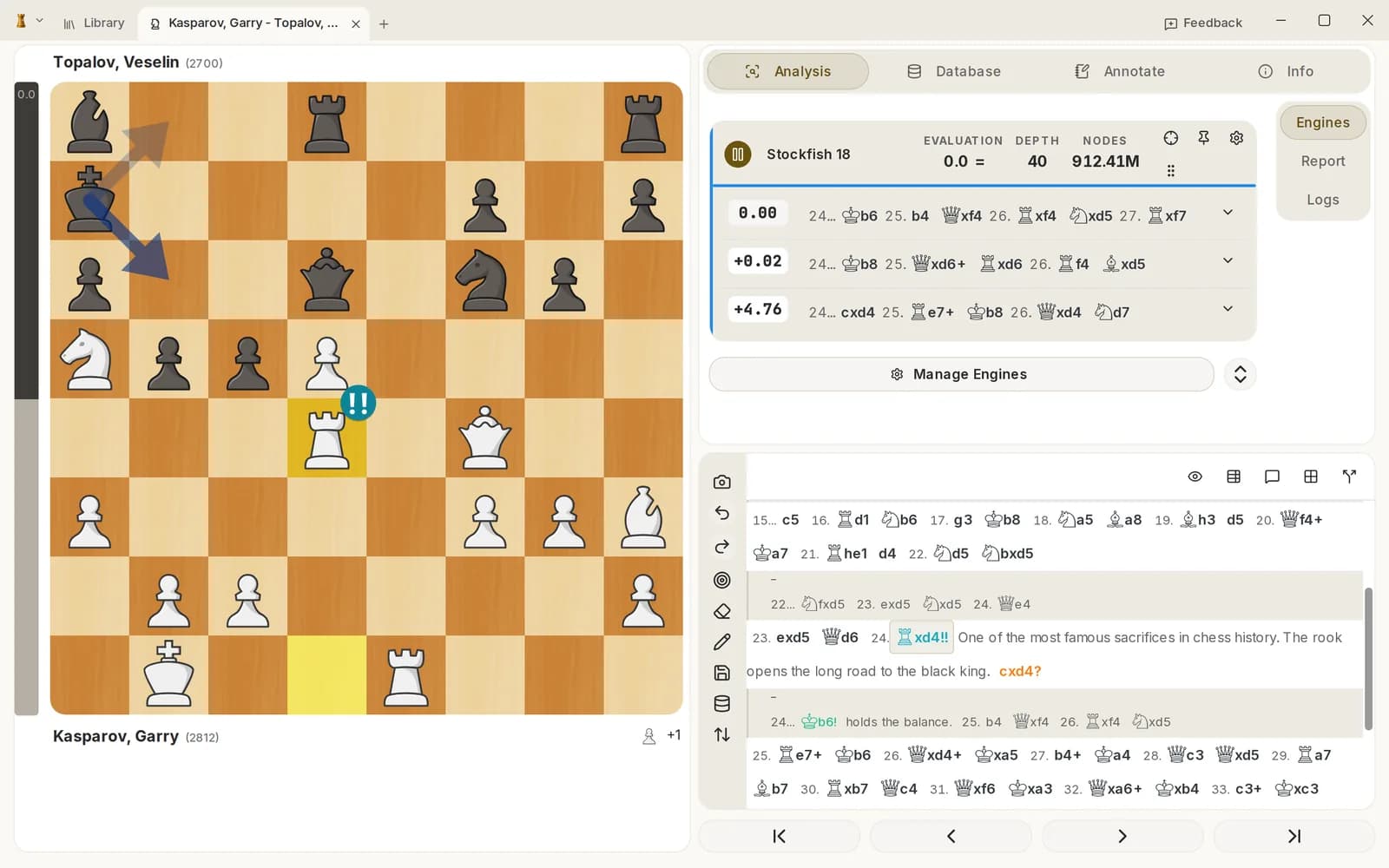
AI 코치
어떤 포지션이든 평소 쓰는 말로 물어보세요. 코치는 답하기 전에 내 엔진, 참고 데이터베이스, 레퍼토리를 확인합니다. 그래서 설명이 실제 분석에 근거합니다. ChatGPT, Grok, API 키 또는 로컬 모델을 연결하세요.
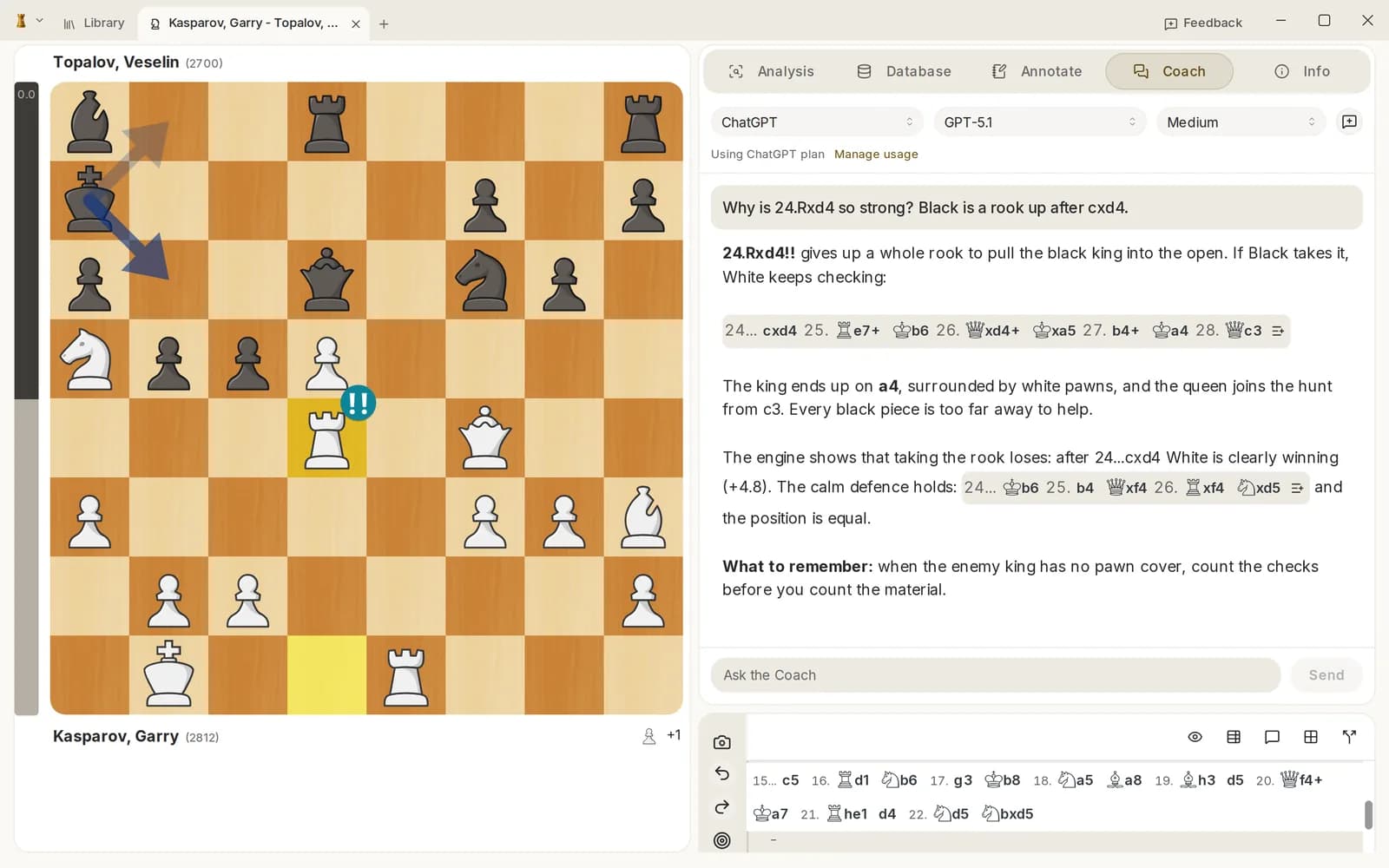
ChessRiddle 퍼즐
계정으로 ChessRiddle 전술 퍼즐을 풀어 보세요. 난이도와 테마를 고르고, 틀린 퍼즐을 다시 풀고, 풀이 후에는 모든 퍼즐을 내 엔진으로 분석할 수 있습니다. 레이팅은 chessriddle.com과 동기화됩니다.
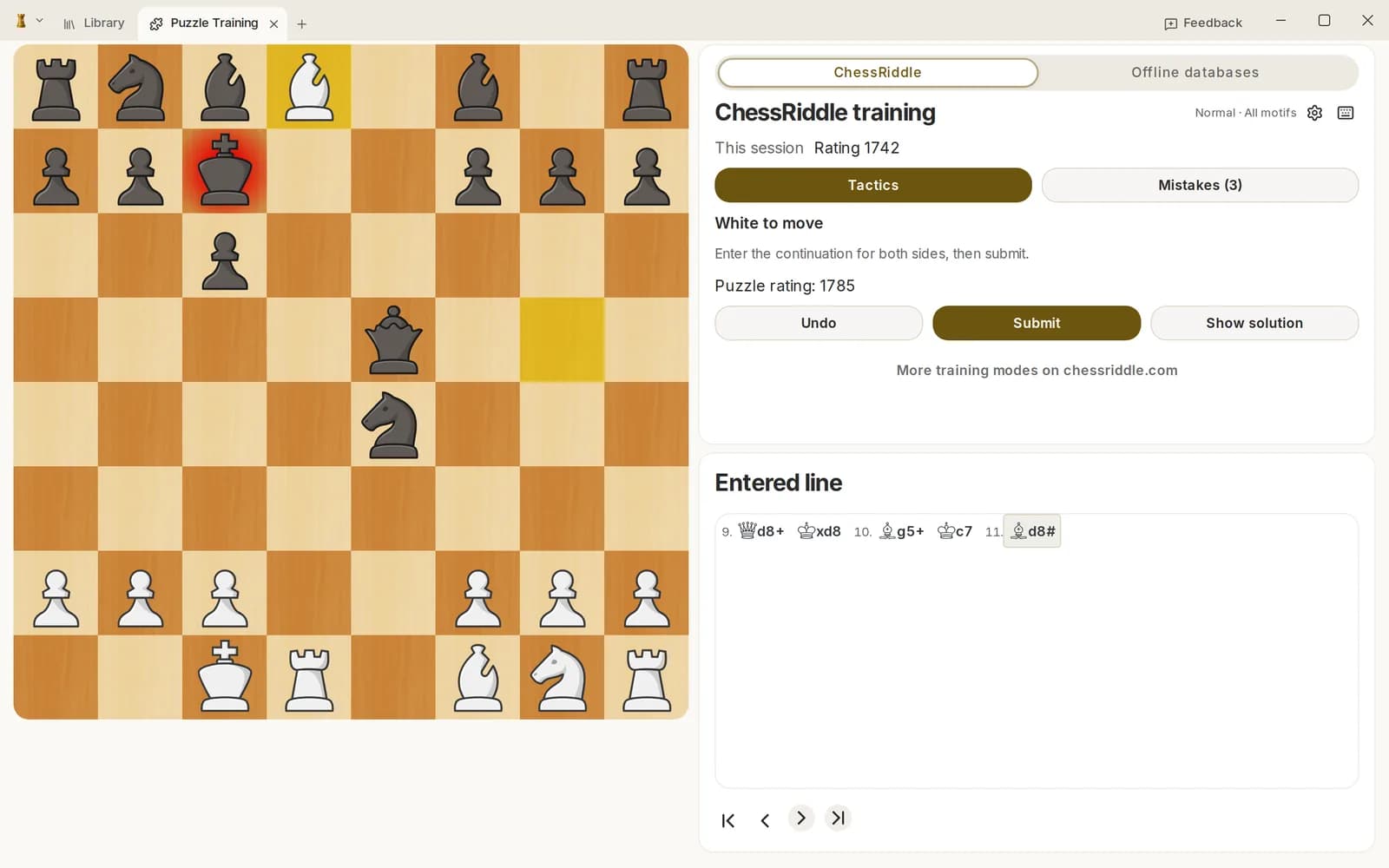
대국 데이터베이스
Lichess와 Chess.com에서 내 대국을 가져오고, 어떤 데이터베이스든 포지션으로 검색하세요.
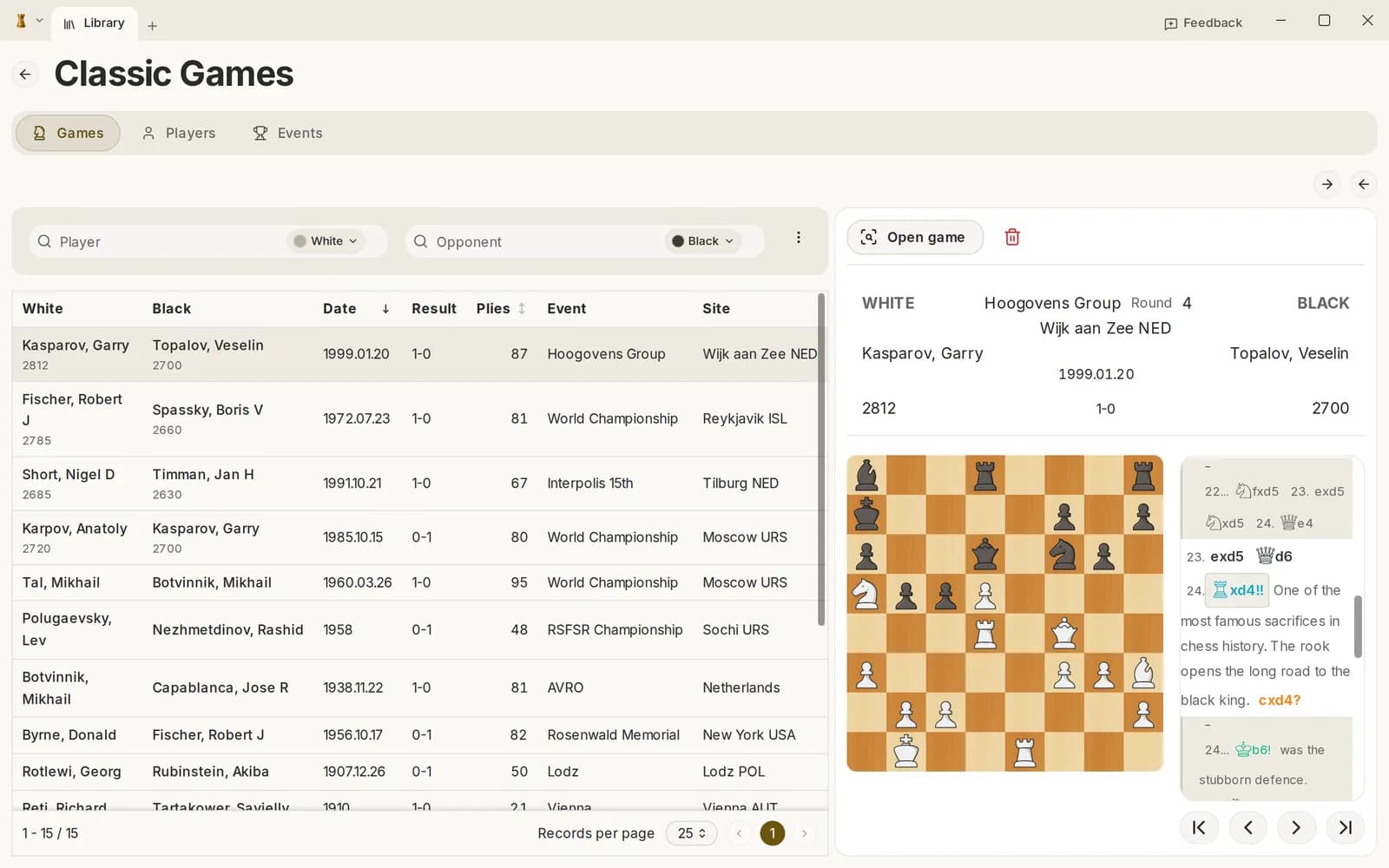
Studio의 다른 기능
엔진 분석
여러 엔진을 나란히 실행하세요. Stockfish와 다른 UCI 엔진은 몇 번의 클릭으로 설치됩니다.
레퍼토리 훈련
오프닝 레퍼토리를 한 수씩 만들고 간격 반복으로 훈련하세요. Studio는 각 라인을 잊기 직전에 물어봅니다.
무료 오픈 소스
구독이 필요 없습니다. 소스 코드는 GitHub에 공개되어 있습니다.
버전 1.1.0의 새로운 기능
릴리스 노트는 영어로 작성되어 있습니다.
New
- Coach: ask an AI about the position on the board. It checks its answers with your own engine and can draw on your reference database and your repertoire. Sign in with ChatGPT or Grok, use an API key (OpenAI, Google Gemini, DeepSeek, Qwen, OpenRouter), or run a local model (Ollama, LM Studio).
- Assistant: an AI helper that explains Studio, takes you straight to the right setting and helps you write feedback. It needs a connected AI.
- Opponent preparation: link an opponent's Lichess and Chess.com accounts to their player card, import their online games in one step and see them beside their over-the-board games.
- Opening training: train all your repertoires for a set number of minutes. Lines that come up often in real games come first and are repeated more.
- Browser extension: an "Analyze in ChessRiddle Studio" button on Lichess and Chess.com opens a finished game in Studio. Get it for Chrome or Firefox; the Safari version is included in the Mac app.
- Notation: open variations are marked and counted, transpositions into other chapters are marked, and ChessBase diagram markers are shown.
- Undo and redo for every edit on the analysis board.
- Unsaved games survive quitting and crashes, and quitting offers to save them.
- Explorer: compare two databases side by side, merge several sources in the opening tree, pin the database panel, filter position search by time control. Filters are saved per database.
Improved
- A new navigation row replaces the title row, the sidebar and the tab strip. Accounts, Engines and Settings open as tabs.
- Stronger last-move highlight with its own colour setting, arrows in six colours, and any engine can drive the evaluation bar.
- Game reports explain themselves, and a new report replaces the previous one.
- Settings can open directly at a setting, and a new Advanced section offers Reload, Clear saved data and Open logs.
- Windows and macOS installers are now signed (macOS also notarized), so the system no longer warns about an unknown developer.
Fixed
- Many bug fixes across databases, analysis, engines and saving.
다운로드
사용하는 시스템을 선택하세요. 모든 다운로드는 최신 버전입니다.
다운로드 파일은 GitHub에서 제공됩니다.
브라우저 확장 프로그램
브라우저 확장 프로그램 “Analyze in ChessRiddle Studio”는 Chess.com과 Lichess의 종료된 대국에 버튼을 추가합니다. 한 번 클릭하면 ChessRiddle Studio의 새 분석 탭에서 대국이 열립니다.
ChessRiddle Studio가 설치되어 있어야 합니다. 확장 프로그램은 chess.com과 lichess.org에서만 작동하며, 데이터를 수집하지 않고 네트워크 요청을 보내지 않습니다.
Edge, Brave 등 다른 Chromium 기반 브라우저에서도 작동합니다.
Safari (macOS)
Safari용 별도 다운로드는 필요하지 않습니다. Mac용 ChessRiddle Studio에 확장 프로그램이 포함되어 있습니다.
- ChessRiddle Studio를 한 번 여세요.
- Safari에서 “설정”을 연 다음 “확장 프로그램”을 여세요.
- “Analyze in ChessRiddle Studio”를 선택하세요.
- chess.com과 lichess.org에서 확장 프로그램을 허용하세요.
