ChessRiddle Studio
Ciddi satranç çalışması için ücretsiz masaüstü uygulaması.
ChessRiddle Studio; Windows, macOS ve Linux için ücretsiz, açık kaynaklı bir satranç uygulamasıdır. Oyunlarını bir yapay zekâ koçu ve güçlü motorlarla analiz et, açılış repertuvarını oluştur ve çalış, hesabınla ChessRiddle bulmacaları çöz.
- Ücretsiz
- Açık kaynak
- Windows · macOS · Linux
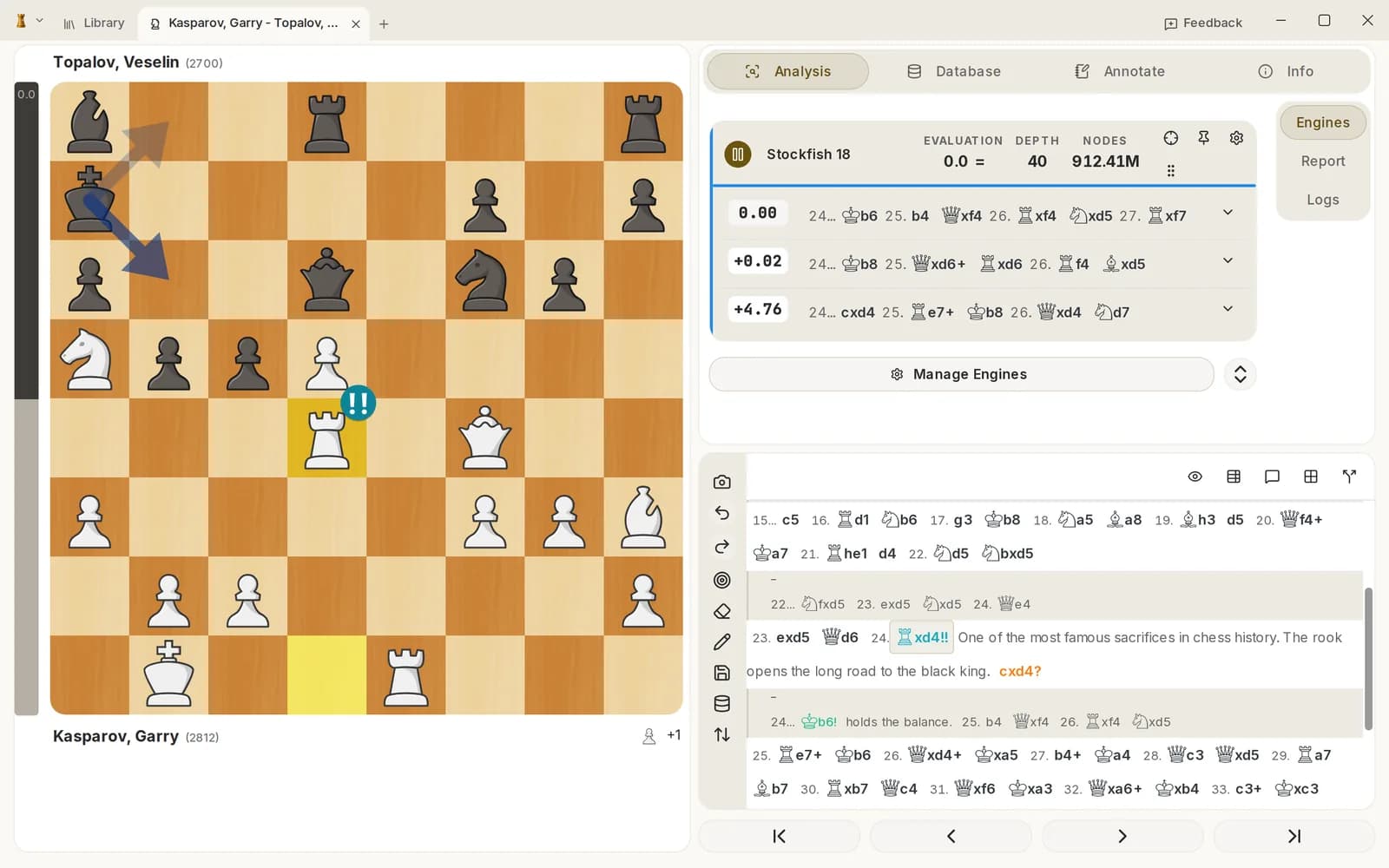
Yapay zekâ koçu
Herhangi bir konumu sade bir dille sor. Koç yanıt vermeden önce senin motorunu, referans veritabanını ve repertuvarını kontrol eder. Böylece açıklaması gerçek bir analize dayanır. ChatGPT, Grok, bir API anahtarı veya yerel bir model bağla.
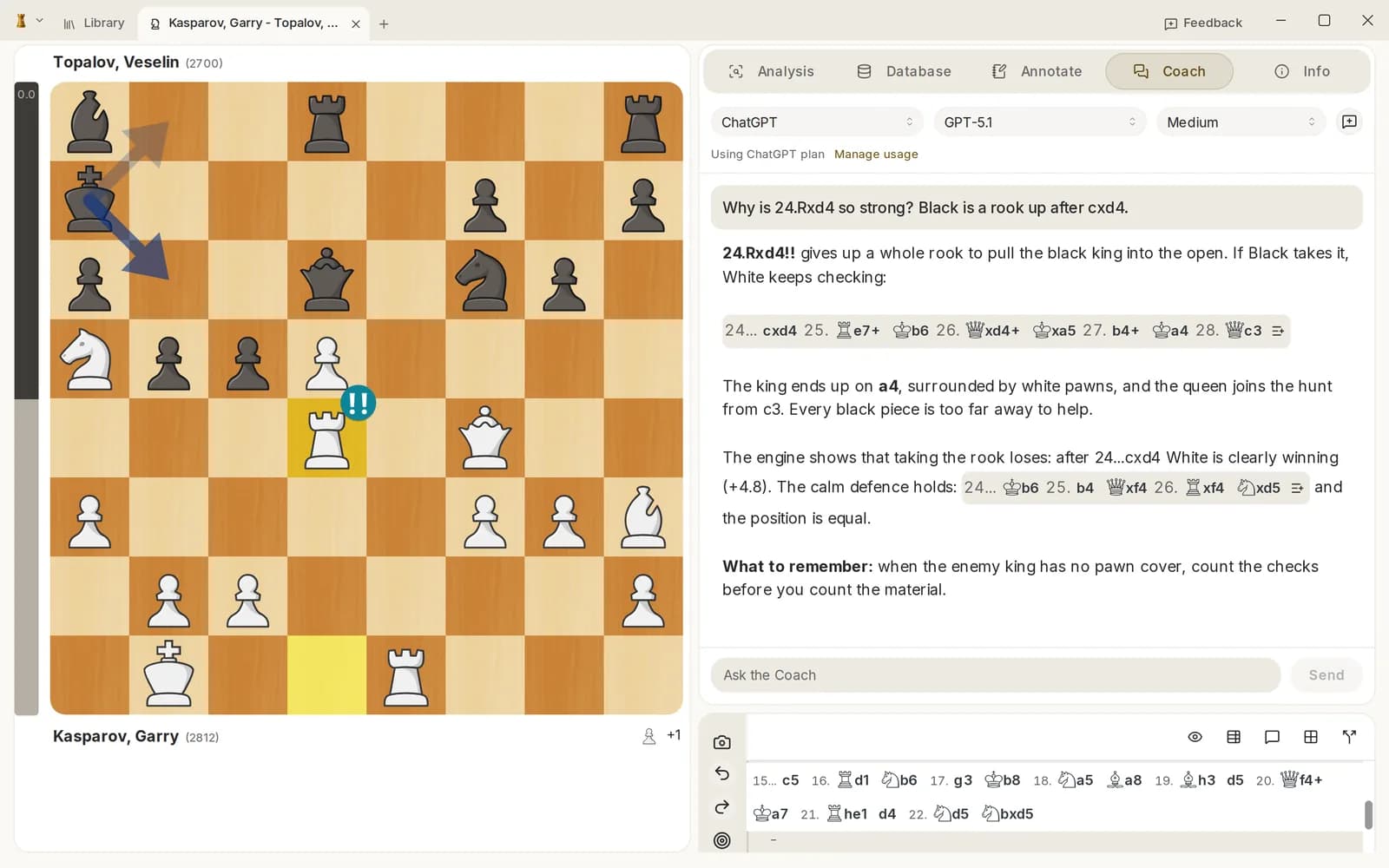
ChessRiddle bulmacaları
Hesabınla ChessRiddle taktik bulmacaları çöz. Zorluğu ve temayı seç, hatalarını yeniden dene ve ardından her bulmacayı kendi motorunla analiz et. Puanın chessriddle.com ile senkronize kalır.
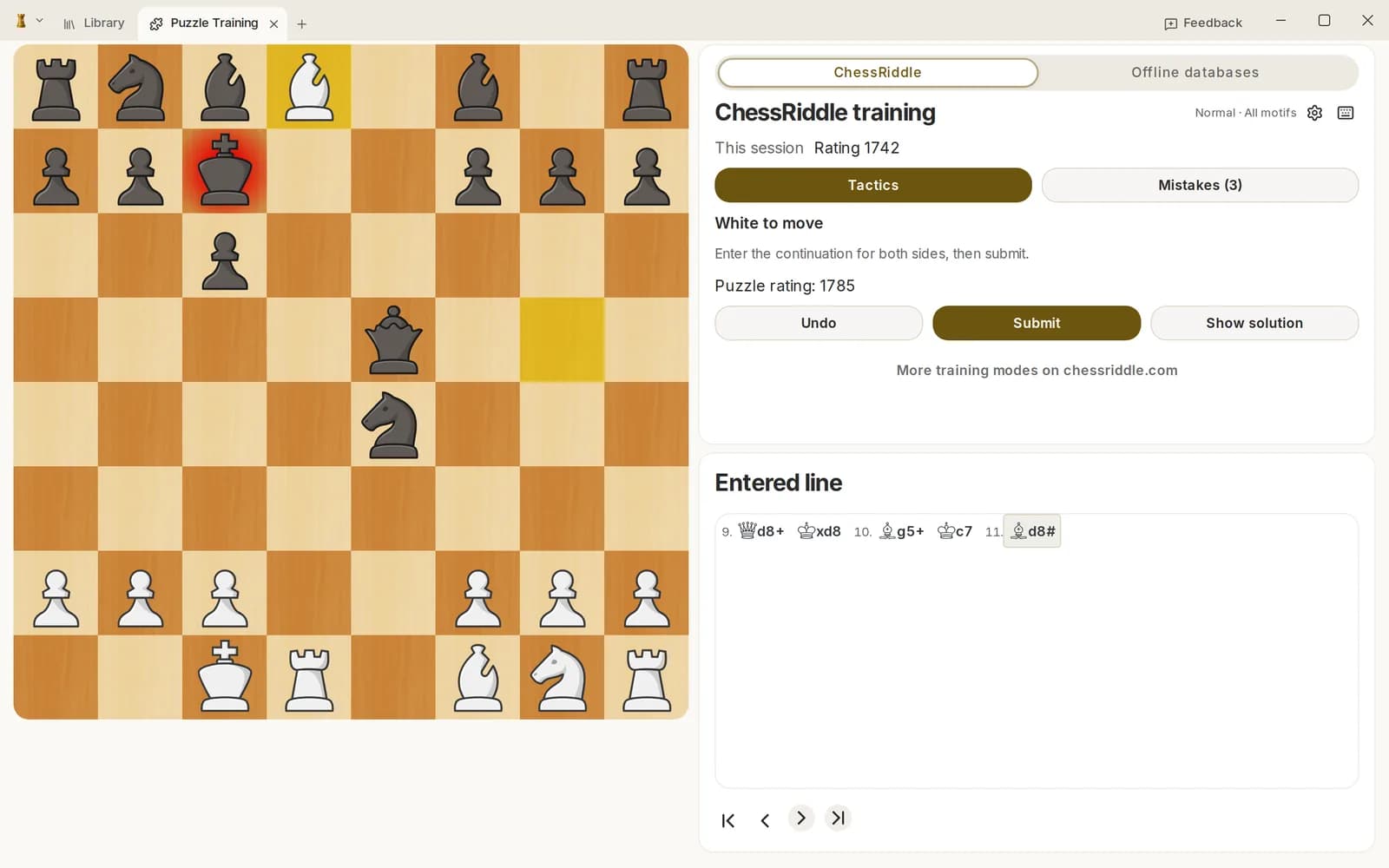
Oyun veritabanları
Oyunlarını Lichess ve Chess.com'dan içe aktar ve her veritabanında konuma göre ara.
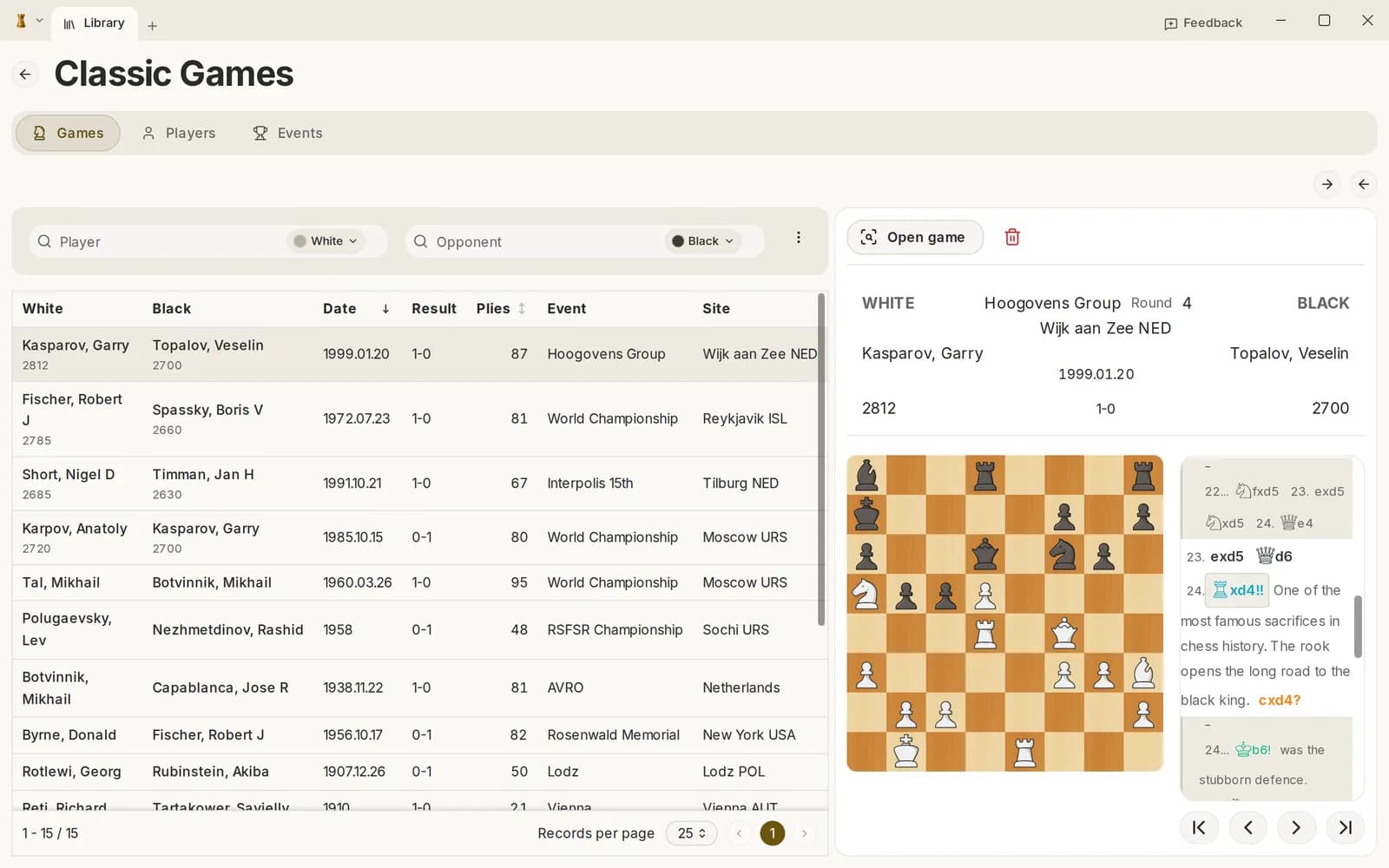
Studio'da ayrıca
Motor analizi
Birden fazla motoru yan yana çalıştır. Stockfish ve diğer UCI motorları birkaç tıklamayla kurulur.
Repertuvar çalışması
Açılış repertuvarını hamle hamle oluştur ve aralıklı tekrarla çalış. Studio her varyantı tam unutmak üzereyken sana sorar.
Ücretsiz ve açık kaynak
Abonelik yok. Kaynak kodu GitHub'da herkese açık.
1.1.0 sürümündeki yenilikler
Sürüm notları İngilizcedir.
New
- Coach: ask an AI about the position on the board. It checks its answers with your own engine and can draw on your reference database and your repertoire. Sign in with ChatGPT or Grok, use an API key (OpenAI, Google Gemini, DeepSeek, Qwen, OpenRouter), or run a local model (Ollama, LM Studio).
- Assistant: an AI helper that explains Studio, takes you straight to the right setting and helps you write feedback. It needs a connected AI.
- Opponent preparation: link an opponent's Lichess and Chess.com accounts to their player card, import their online games in one step and see them beside their over-the-board games.
- Opening training: train all your repertoires for a set number of minutes. Lines that come up often in real games come first and are repeated more.
- Browser extension: an "Analyze in ChessRiddle Studio" button on Lichess and Chess.com opens a finished game in Studio. Get it for Chrome or Firefox; the Safari version is included in the Mac app.
- Notation: open variations are marked and counted, transpositions into other chapters are marked, and ChessBase diagram markers are shown.
- Undo and redo for every edit on the analysis board.
- Unsaved games survive quitting and crashes, and quitting offers to save them.
- Explorer: compare two databases side by side, merge several sources in the opening tree, pin the database panel, filter position search by time control. Filters are saved per database.
Improved
- A new navigation row replaces the title row, the sidebar and the tab strip. Accounts, Engines and Settings open as tabs.
- Stronger last-move highlight with its own colour setting, arrows in six colours, and any engine can drive the evaluation bar.
- Game reports explain themselves, and a new report replaces the previous one.
- Settings can open directly at a setting, and a new Advanced section offers Reload, Clear saved data and Open logs.
- Windows and macOS installers are now signed (macOS also notarized), so the system no longer warns about an unknown developer.
Fixed
- Many bug fixes across databases, analysis, engines and saving.
İndir
Sistemini seç. Her indirme en yeni sürümdür.
İndirmeler GitHub’da sunulur.
Tarayıcı uzantısı
“Analyze in ChessRiddle Studio” tarayıcı uzantısı, Chess.com ve Lichess'te biten oyunlara bir düğme ekler. Tek tıklama oyunu ChessRiddle Studio'da yeni bir analiz sekmesinde açar.
ChessRiddle Studio yüklü olmalıdır. Uzantı yalnızca chess.com ve lichess.org'da çalışır, veri toplamaz ve ağ isteği göndermez.
Edge ve Brave gibi diğer Chromium tarayıcılarında da çalışır.
Safari (macOS)
Safari için ayrı bir indirme gerekmez. Uzantı, Mac için ChessRiddle Studio'ya dahildir.
- ChessRiddle Studio'yu bir kez aç.
- Safari'de “Ayarlar”ı, ardından “Uzantılar”ı aç.
- “Analyze in ChessRiddle Studio” seçeneğini işaretle.
- Uzantıya chess.com ve lichess.org'da izin ver.
