ChessRiddle Studio
为认真学棋打造的免费桌面应用。
ChessRiddle Studio 是一款免费、开源的国际象棋应用,支持 Windows、macOS 和 Linux。借助 AI 教练和强大的引擎分析你的对局,构建并训练你的开局库,并用你的账户解答 ChessRiddle 谜题。
- 免费
- 开源
- Windows · macOS · Linux
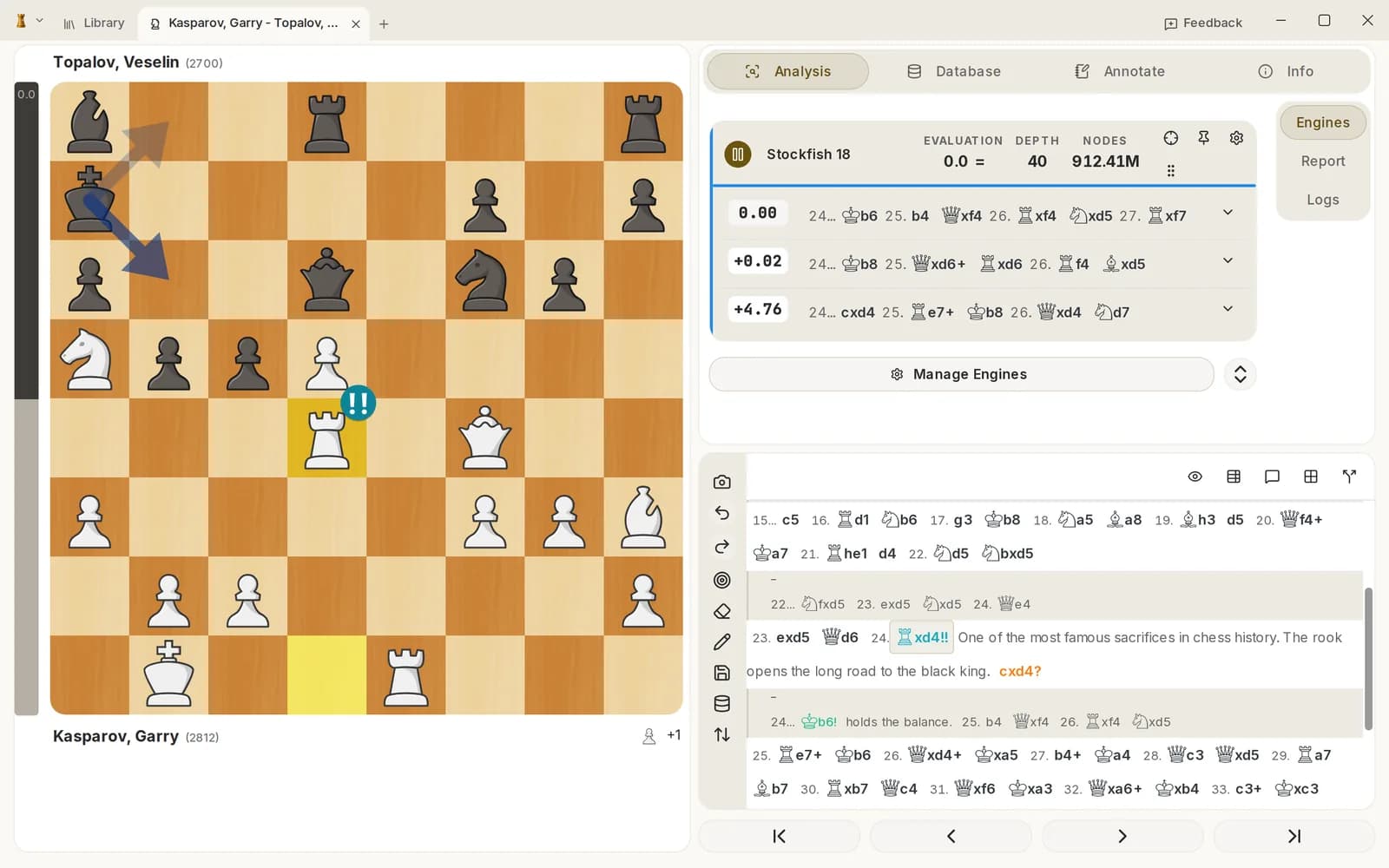
AI 教练
用日常语言询问任何局面。教练在回答前会查阅你的引擎、参考数据库和开局库,因此它的讲解基于真实的分析。可连接 ChatGPT、Grok、API 密钥或本地模型。
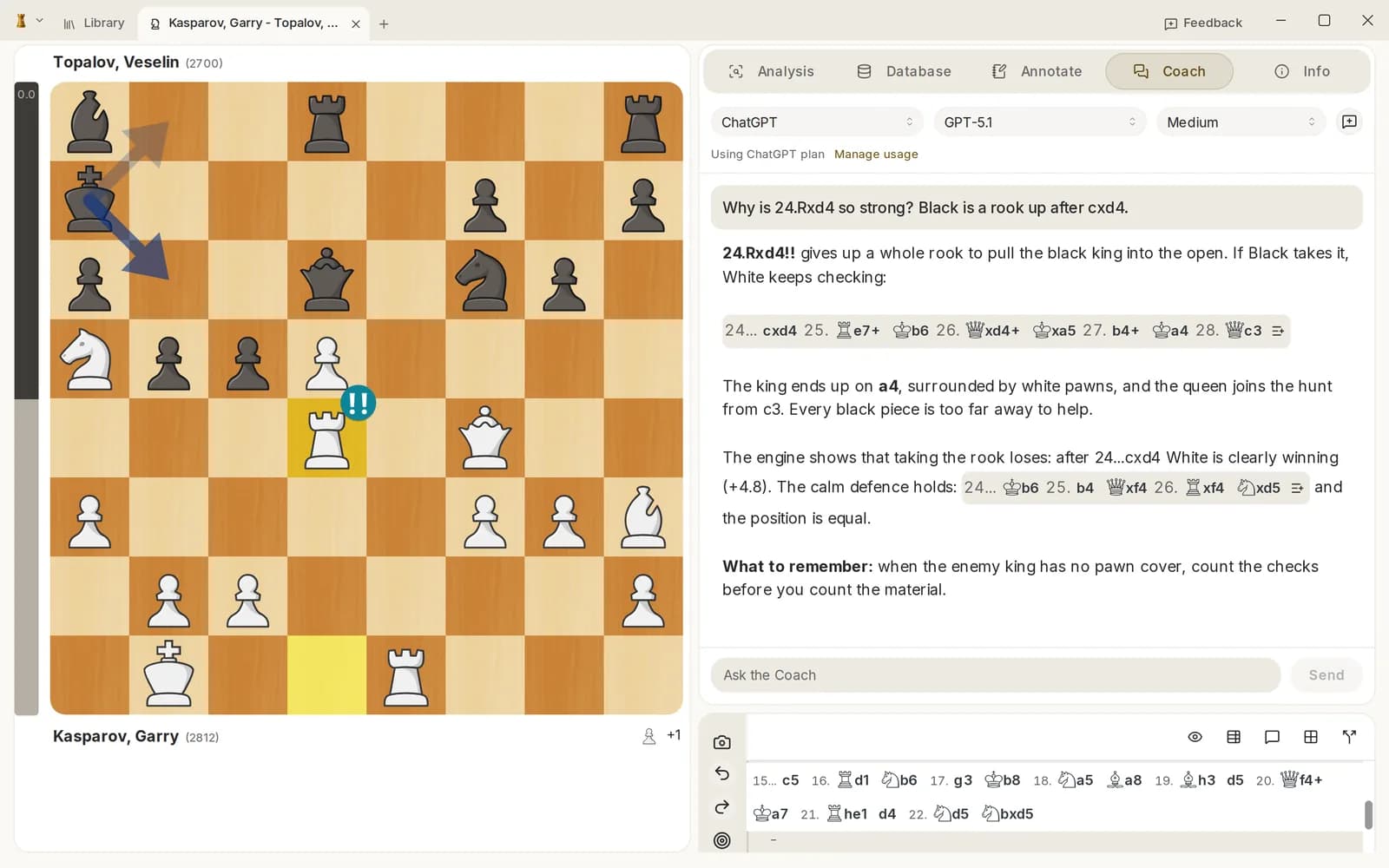
ChessRiddle 谜题
用你的账户解答 ChessRiddle 战术谜题。选择难度和主题,重做做错的题,并在之后用你自己的引擎分析每道谜题。你的等级分与 chessriddle.com 保持同步。
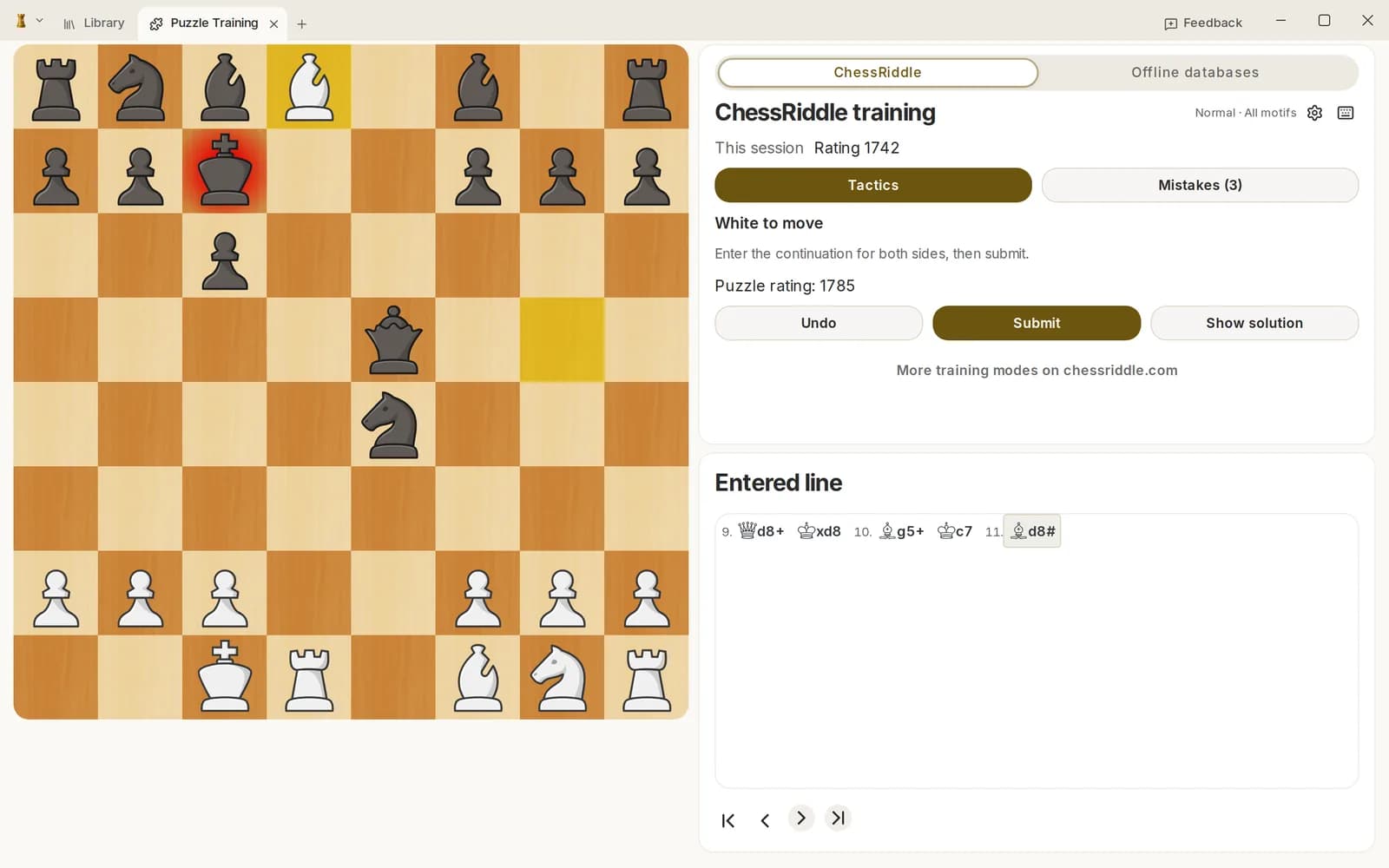
对局数据库
从 Lichess 和 Chess.com 导入你的对局,并在任意数据库中按局面搜索。
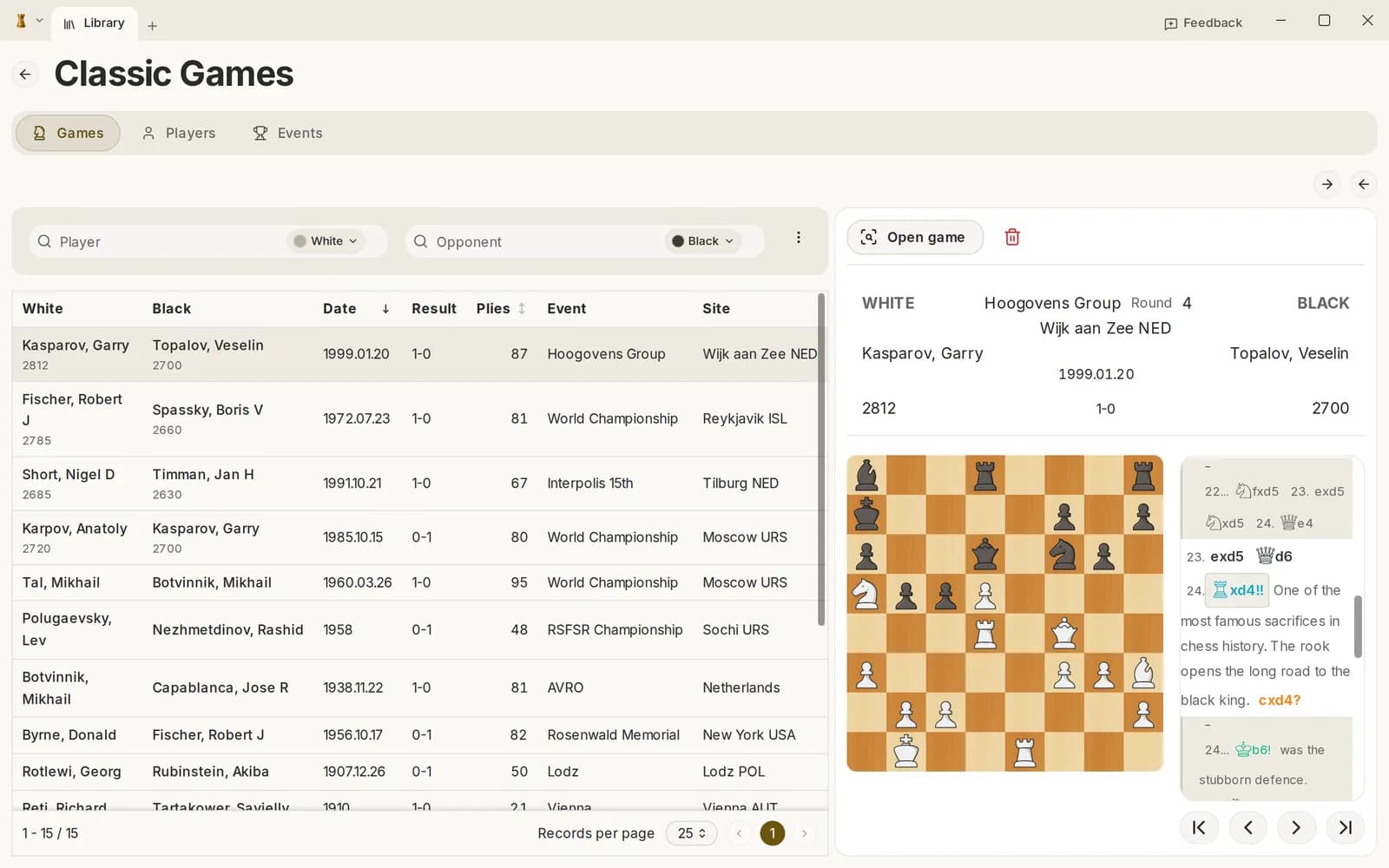
Studio 还提供
引擎分析
同时运行多个引擎。Stockfish 和其他 UCI 引擎只需几次点击即可安装。
开局库训练
一步一步构建你的开局库,并用间隔重复进行训练。Studio 会在你快要忘记每条变着之前向你提问。
免费且开源
无需订阅。源代码在 GitHub 上公开。
1.1.0 版本新功能
版本说明为英文。
New
- Coach: ask an AI about the position on the board. It checks its answers with your own engine and can draw on your reference database and your repertoire. Sign in with ChatGPT or Grok, use an API key (OpenAI, Google Gemini, DeepSeek, Qwen, OpenRouter), or run a local model (Ollama, LM Studio).
- Assistant: an AI helper that explains Studio, takes you straight to the right setting and helps you write feedback. It needs a connected AI.
- Opponent preparation: link an opponent's Lichess and Chess.com accounts to their player card, import their online games in one step and see them beside their over-the-board games.
- Opening training: train all your repertoires for a set number of minutes. Lines that come up often in real games come first and are repeated more.
- Browser extension: an "Analyze in ChessRiddle Studio" button on Lichess and Chess.com opens a finished game in Studio. Get it for Chrome or Firefox; the Safari version is included in the Mac app.
- Notation: open variations are marked and counted, transpositions into other chapters are marked, and ChessBase diagram markers are shown.
- Undo and redo for every edit on the analysis board.
- Unsaved games survive quitting and crashes, and quitting offers to save them.
- Explorer: compare two databases side by side, merge several sources in the opening tree, pin the database panel, filter position search by time control. Filters are saved per database.
Improved
- A new navigation row replaces the title row, the sidebar and the tab strip. Accounts, Engines and Settings open as tabs.
- Stronger last-move highlight with its own colour setting, arrows in six colours, and any engine can drive the evaluation bar.
- Game reports explain themselves, and a new report replaces the previous one.
- Settings can open directly at a setting, and a new Advanced section offers Reload, Clear saved data and Open logs.
- Windows and macOS installers are now signed (macOS also notarized), so the system no longer warns about an unknown developer.
Fixed
- Many bug fixes across databases, analysis, engines and saving.
下载
选择你的系统。每次下载的都是最新版本。
下载文件托管在 GitHub 上。
浏览器扩展
浏览器扩展“Analyze in ChessRiddle Studio”会在 Chess.com 和 Lichess 上已结束的对局中添加一个按钮。点击一下,即可在 ChessRiddle Studio 的新分析标签页中打开该对局。
需要安装 ChessRiddle Studio。该扩展仅在 chess.com 和 lichess.org 上运行,不收集任何数据,也不发送任何网络请求。
也适用于 Edge、Brave 等其他 Chromium 浏览器。
Safari (macOS)
Safari 无需单独下载。Mac 版 ChessRiddle Studio 已包含该扩展。
- 打开一次 ChessRiddle Studio。
- 在 Safari 中打开“设置”,然后打开“扩展”。
- 勾选“Analyze in ChessRiddle Studio”。
- 在 chess.com 和 lichess.org 上允许该扩展。
